How to Audit a SKILL.md Before You Install It: A 7-Step Security Checklist
⚡ Quick Summary: How to Safely Audit a SKILL.md
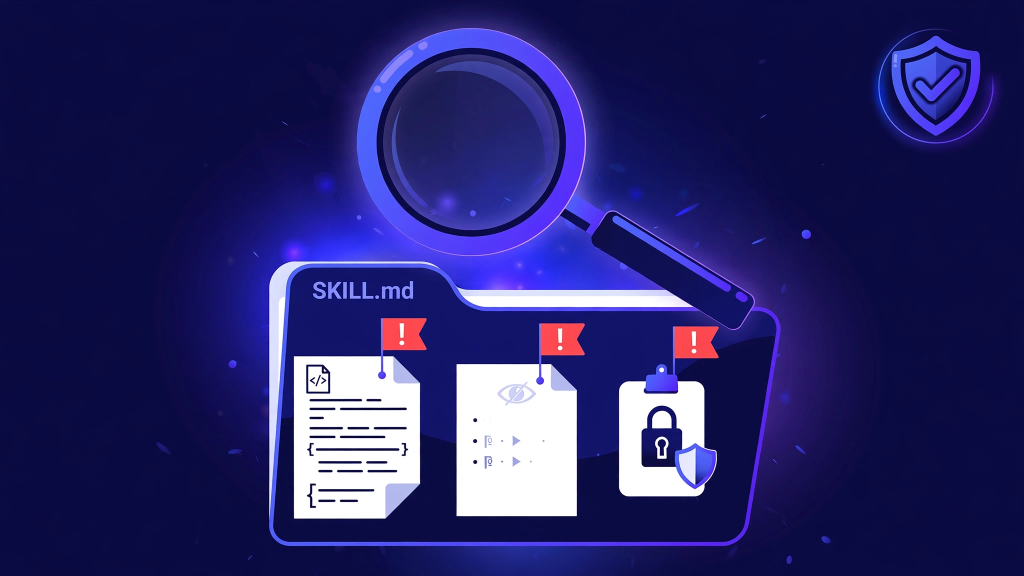
To audit SKILL.md files before installing them, read the frontmatter, reveal hidden characters, read every script, check permissions and network calls, inspect references for injected instructions, test the trigger scope, and pin the version you checked. The whole pass takes about fifteen minutes for a typical skill, and it is the only reliable way to know what you are about to let run on your machine.
📑 Table of Contents
8 Sections1. Why This Matters: The Snyk ToxicSkills Data
A skill looks harmless. It is a Markdown file with a small YAML header, and most of it reads like documentation. But a skill is also executable. Scripts inside a skill's scripts/ folder run with your full local terminal permissions and environment variables, and the description loads at agent boot to decide when the skill fires. A malicious skill does not need to look malicious. It needs a plausible description and one script you never read.
The numbers explain why this is worth fifteen minutes. Snyk's ToxicSkills scan examined 3,984 public skills and found flaws in 36.82% of them, with 76 confirmed malicious. Separately, 341 malicious skills were reported on ClawHub. Most flaws are not dramatic backdoors. They are hidden instructions, over-broad permissions, and scripts that do more than the description promises. All three are catchable by reading the skill before you install it.
2. Key Takeaways & Folder Structure: What You Are Actually Installing
- A skill is a folder, not just a file. Audit the scripts, references, and assets too, not only SKILL.md.
- Hidden Unicode tag characters and bidirectional overrides can hide instructions that you cannot see in a normal editor view.
- The
allowed-toolsfield is not a security boundary. Treat it as a hint, not a sandbox. - Never install a skill from a branch tip. Pin the exact commit you audited.
- If any step of the audit fails, do not install the skill. Find an alternative or write your own.
What You Are Actually Installing
A skill folder usually contains four parts. SKILL.md holds the frontmatter (name, description, license, compatibility, metadata) and the Markdown instructions. The scripts/ folder holds deterministic scripts for tasks with one correct answer, such as date math or formatting. The references/ folder holds dense specifications the agent opens on demand. The assets/ folder holds output templates. The agent reads only the name and description at boot, then loads the full body when a request matches the description, and opens references only when the steps say to.
Two facts shape the whole audit. First, scripts execute. A Python or Bash file in scripts/ runs on your machine with your permissions, and it can read files, call network endpoints, and use environment variables. Second, the description decides when the skill fires. A description written too broadly makes the skill trigger on unrelated requests, which is how a skill you installed for one job starts touching other work.
3. What You Need Before You Start
You need the skill folder on disk (clone the repository or download the folder), a text editor that can show hidden characters (VS Code with Unicode highlighting turned on works), a terminal, and a disposable test project that is not your main repository.
Do not audit inside a repo containing secrets. If the skill is distributed as an install command that pipes a remote script into your shell, stop there. A skill worth installing can be downloaded and read first.
4. The 7-Step Audit Checklist
Step 1: Read the Frontmatter
Open SKILL.md and read the YAML header before anything else. Check that the name matches the folder name, uses lowercase letters with single hyphens, and stays within 64 characters. Read the description as a trigger list: it should name exact user phrases and scenarios. A description that reads like a marketing paragraph ("the ultimate productivity solution for modern teams") tells you nothing about when it fires, and that vagueness is itself a finding.
Check the license field and confirm it matches the repository license. Note any non-standard fields. The standard set is name, description, license, compatibility, and metadata. Extra fields are ignored by some agents and can break uploads in others, so treat them as sloppiness at best.
Step 2: Reveal Hidden Characters
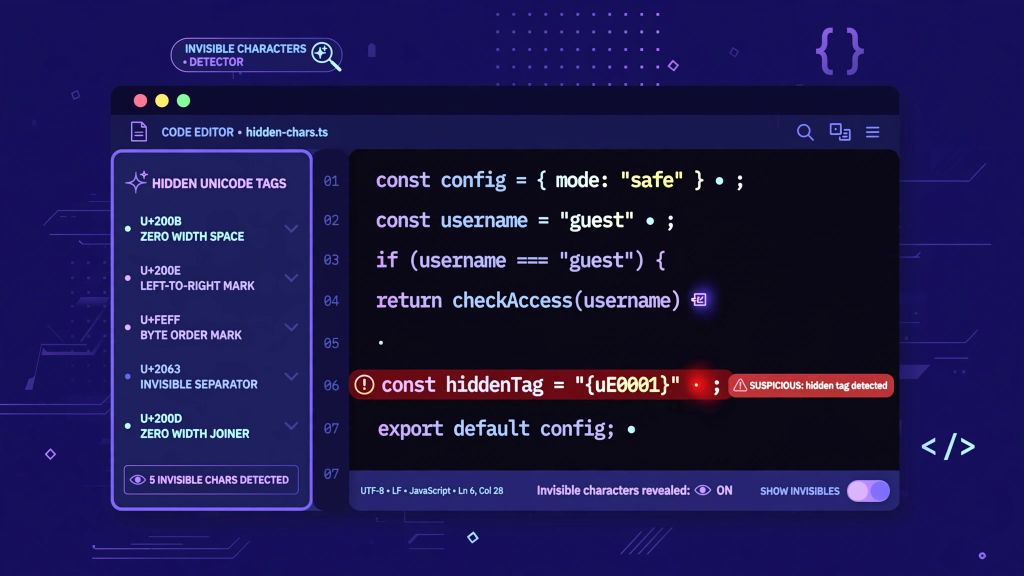
Turn on invisible character rendering in your editor and search the whole folder for Unicode tag characters (U+E0000 to U+E007F) and bidirectional override characters. These characters are invisible in normal rendering, which makes them the classic hiding place for instructions the author does not want you to see. Any match is an automatic fail. There is no legitimate reason for a skill to contain tag characters or bidi overrides in its instructions.
If your editor cannot search for them, use the terminal:
grep -rP '[\x{e0000}-\x{e007f}\x{202a}-\x{202e}]' <skill-folder>Also scan for encoded blobs: long base64 strings, hex strings, or compressed payloads inside Markdown or scripts. A skill has no reason to carry an encoded blob you cannot read.
Step 3: Read Every Script
Open each file in scripts/ and read it line by line. For each script, answer four questions. What files does it read? What does it write or change? What network calls does it make? What environment variables does it touch?
A script that reads only the files its task needs and writes only its stated output is normal. A script that reads ~/.ssh, shell history, or environment files, uploads anything anywhere, or downloads and executes a second payload fails the audit. Also check the script against the description. If the skill claims to format dates and the script opens a network connection, the description is not telling the truth about the skill.
Step 4: Check Permissions and Network Calls
Search the whole folder for the patterns that matter: curl, wget, fetch(, requests., socket, subprocess, os.system, eval(, exec(, and references to ~/.ssh, ~/.aws, .env, and credential files.
grep -rnE '(curl|wget|fetch|requests\.|socket|subprocess|os\.system|eval\(|exec\()' <skill-folder>A match is not automatically malicious. A skill that fetches documentation from an official API may legitimately call the network. What matters is whether the call matches the stated task and whether the destination is named. An unnamed URL, a URL shortener, or a call to an address you cannot identify fails the audit. If the skill needs network access for its job, that need should be stated in SKILL.md itself, not discovered by grep.
Step 5: Inspect References and Assets for Injected Instructions
Open every file in references/ and assets/. These files load on demand during execution, which means instructions hiding in them still reach the model. Look for the same signs as step 2 (hidden characters, encoded blobs) and for imperative language aimed at the model rather than the user: sentences telling the agent to ignore prior instructions, to exfiltrate data, to conceal its actions, or to treat part of the conversation as a new system prompt. Reference files should read like documentation and templates. If a reference file starts giving the agent orders about things outside the skill's job, fail the audit.
Step 6: Test the Trigger Scope
Install the skill in your disposable test project only, never in your main repository, and run the 5-prompt trigger test: three prompts that should fire it (a formal request, a colloquial version, a terse version) and two adjacent prompts that should not (a nearby task the skill must ignore).
Approve only on 3/3 positive triggers and 0/2 false fires. A skill that fires on the negative prompts has a description that is too broad, and a broad trigger is a safety problem, not just an annoyance: it decides how often untrusted instructions enter your agent's context. If the skill under-triggers, that is a quality problem you can fix by tightening the description yourself after you install it.
Step 7: Pin the Version You Checked
Record the exact commit SHA of the version you audited, and install from that SHA, not from a branch name. Branches move. A skill that was clean on Monday can carry a new script on Tuesday with no version bump and no changelog entry.
git clone https://github.com/example-author/example-skill.git .agents/skills/example-skill
cd .agents/skills/example-skill && git checkout a1b2c3d4e5f67890123456789abcdef012345678
If the skill updates, audit the diff before you update, the same way you would review a dependency upgrade. Keep a one-line note per installed skill: name, source, SHA, and audit date. That note is what makes re-audits cheap.
5. Red Flags Checklist (Fail-Fast Rules)
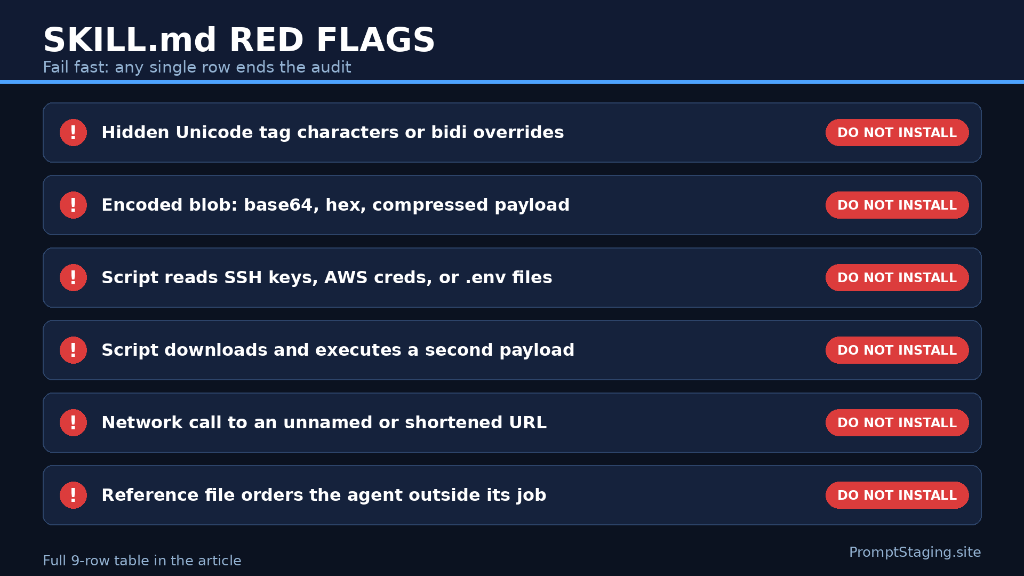
Fail fast: any single row below ends the audit immediately.
| Red Flag | What It Means | Verdict |
|---|---|---|
| Hidden Unicode tag characters or bidi overrides | Instructions concealed from normal rendering | Do not install |
| Encoded blob (base64, hex, compressed payload) | Content you cannot read | Do not install |
| Script reads SSH keys, AWS credentials, or .env files | Credential access outside the stated task | Do not install |
| Script downloads and executes a second payload | Remote code execution | Do not install |
| Network call to an unnamed or shortened URL | Destination you cannot verify | Do not install |
| Reference file gives the agent orders outside the skill's job | Injected instructions | Do not install |
| Description is marketing prose, not trigger scenarios | Trigger scope you cannot predict | Rewrite description or skip |
| No license, or license mismatches the repository | Provenance you cannot trust | Ask author or skip |
| Skill installs only via piped remote script | You cannot read it before it runs | Do not install |
6. What to Do if a Skill Fails the Audit
Do not install it and do not try to clean it by deleting the suspicious part unless you fully understand what the rest does. A skill with one hidden payload may carry others.
The practical alternatives, in order: find a different skill that does the same job and passes the audit; check whether the same skill exists in a curated directory with review notes; or build the skill yourself. Building takes less time than most people expect: a Markdown file with a small YAML header, five sections (when to use, when not to use, inputs, steps, output format), and no scripts at all covers most repeat tasks. The Skill Builder Studio generates that shape with validated frontmatter in your browser.
Author Verified SKILL.md Packages in Browser Memory
Generate clean, schema-compliant Agent Skills with zero scripts and deterministic instructions using the 100% client-side Skill Builder Studio.
7. Frequently Asked Questions
Direct answers to common questions about agent skill safety, hidden Unicode, and tool confinement.
Yes, but the pass can be shorter. Trust in the author does not cover a compromised account, a bad merge, or a dependency the author did not review. For a trusted author, steps 1, 2, and 3 (frontmatter, hidden characters, scripts) are the minimum. Never skip step 7: pin the SHA even for trusted sources.
A scriptless skill cannot run code, but it can still influence the agent: it can instruct the agent to include sensitive context in outputs, to call tools the user did not ask for, or to phrase results in ways that leak information. Scripts are the main risk, not the only one. Read the instructions too, not just the code.
They are code points from U+E0000 to U+E007F that render invisibly in most editors and chat interfaces. Attackers use them to smuggle instructions into text that looks clean. They have no legitimate use inside a skill's instructions, which is why any match fails the audit outright.
No. The field is respected by Claude Code and Cursor and ignored by generic CLI agents, and it was never designed as a security boundary. Treat it as documentation of intent. Containment comes from reading the skill, testing it in a disposable project, and pinning the version.
On every update, and once a quarter for skills you use weekly. An update is a new version of the skill, so it needs a fresh diff review. For high-use skills, the quarterly pass is steps 2, 3, and 4 only: hidden characters, scripts, and network calls.
8. Conclusion & Next Steps
Auditing a SKILL.md is not paranoia. It is the same discipline as reviewing a dependency before you add it to a project, applied to a new kind of package that runs inside your agent. Read the frontmatter, reveal what is hidden, read the scripts, check the network calls, test the trigger scope, and pin the version. Fifteen minutes now saves you from discovering later that a helpful skill was doing a second job.
Build your own clean skills instead of trusting unknown ones: Skill Builder Studio. Browse reviewed skills: Skills Directory. Check any skill's output formatting before you ship it: Quality Check Builder.