How I Built PromptStaging Inside VS Code Using AI (And What Actually Worked)
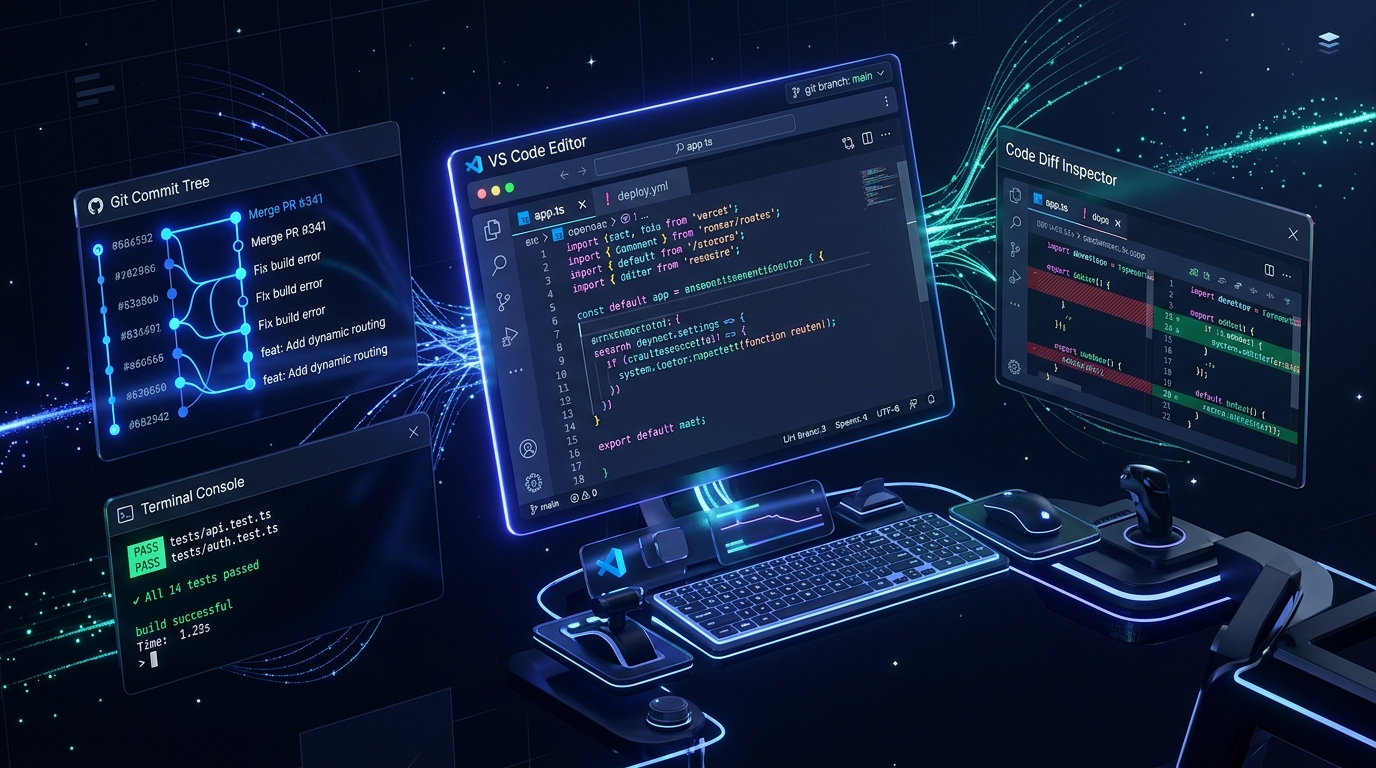
⚡ Executive Teardown: Building with In-Editor AI in 2026
PromptStaging was engineered solo from scratch inside VS Code using autonomous AI agents (Claude 3.5 Sonnet & Gemini Argon). Moving beyond browser chatbot copy-pasting allowed us to maintain a zero-dependency architecture (vanilla ES6+, CSS variables), write an automated 138-test Playwright suite, and deploy to Cloudflare Pages in 4-second edge cycles. Here are the exact prompt patterns that accelerated velocity by 10x, the three critical bugs where the model collapsed, and the rules required to keep AI codebases production-grade.
Table of Contents
- 1. The Hook & The Problem: Why PromptStaging Needed to Exist
- 2. The Cockpit: My Local VS Code + AI Stack
- 3. Architecture & Tech Decisions: What We Picked (and Why AI Loved/Hated It)
- 4. The Exact Prompts & Chains That Did the Heavy Lifting
- 5. The Graveyard of Bad Generations: Real Bugs & Breakdowns
- 6. Velocity Metrics & Hard Truths: What Actually 5x'd
- 7. Rules for Solo Builders in 2026
- 8. Frequently Asked Questions
1. The Hook & The Problem: Why PromptStaging Needed to Exist
I was completely burned out by the browser tab shuffle.
Every time I wanted to test an autonomous agent workflow or craft a production prompt, I was doing the exact same manual dance: open ChatGPT in tab 1, tweak a system instruction, open Claude in tab 2 to see if Sonnet adhered to the negative boundaries, copy the raw completion into a text editor to test the JSON formatting, run into an unescaped double-quote, curse under my breath, and restart the loop.
The web is flooded with "prompt directories," but almost all of them are bloated affiliate link farms peddling generic nonsense: "Act as an award-winning marketer and write 5 catchy slogans." Real practitioners don't need marketing fluff; they need structural blueprints. They need typed output schemas, negative constraints that block hallucinations, and empirical verification rubrics that actually work inside production software pipelines.
The Core Thesis: Copy-pasting prompts between browser tabs is an anti-pattern. If you want to build durable AI workflows, you need tools that run 100% locally in volatile browser memory, generate standardized agent skills (like Antigravity SKILL.md), and verify outputs without logging proprietary company data to someone else’s remote server.
So I decided to build PromptStaging solo. But instead of writing it in isolation, I decided to build it end-to-end inside VS Code using autonomous AI agents—turning the editor itself into a pair-programming cockpit.
2. The Cockpit: My Local VS Code + AI Stack
The difference between asking a web chatbot for code and running an AI agent inside VS Code is like the difference between sending a fax and pair programming with a colleague sitting next to you.
Inside VS Code, the model has direct visibility into your repository file tree. It reads your CSS custom properties, inspects your package configurations, runs terminal checks, and surfaces changes as inline git-style red/green diffs before anything touches disk.
# PROMPTSTAGING ARCHITECTURAL INVARIANTS
1. Zero Runtime Dependencies: Pure vanilla ES6+ JavaScript, CSS custom properties, native DOM.
2. Zero-API Privacy Invariant: 100% client-side execution. Never introduce backend databases or remote telemetry for core tools.
3. Surgical Code Edits: Target exact line chunks. Never rewrite unaffected 800-line files.
4. Regression Contract: Every code modification must pass `npx playwright test` with zero failures.
5. Mobile First: Mobile viewport (375px) must have zero horizontal overflow (`scrollWidth <= innerWidth`).
This 10-line configuration file anchored the agent's memory. Whenever it attempted to sneak in an unneeded npm package or store prompt variables in remote endpoints, the rulebook held the line.
3. Architecture & Tech Decisions: What We Picked (and Why AI Loved/Hated It)
| Layer | Technology Picked | Why We Chose It | How AI Handled It |
|---|---|---|---|
| Frontend | Vanilla JS, CSS Variables, HTML5 | Sub-50ms load, 0kb bundle bloat, zero hydration lag | Loved it (unmatched training data) |
| Data Privacy | Volatile Memory & Blob Downloads | Zero prompt leakage; total client confidentiality | Needed strict negative constraints |
| Test Suite | Playwright E2E (138 Tests) | Headless multi-viewport regression guarantee | Flawless test generation speed |
| Edge Host | Cloudflare Pages Static Assets | Instant global edge caching, 4s builds | 1-command deploy: `wrangler deploy` |
The "Delete Your Darling" Moment: Stripping the Mobile Creator Studio
During mid-development, we explored adding an authenticated in-browser mobile admin studio with Cloudflare Workers and KV storage (worker.js, admin.html) to let creators draft posts from mobile phones.
We prototyped it, got the KV bindings wired up, and tested it. But immediately, the friction mounted: suddenly we had serverless cold starts, complex authentication cookies, local mock dev servers, and synchronization scripts. It ran completely counter to our core product promise: an ultra-fast, zero-overhead static platform.
Engineering Lesson: Senior engineering isn't about how many features you can build; it's about having the discipline to delete features that dilute your architecture. In one swift turn, we deleted the worker scripts, reverted wrangler.jsonc back to pure static assets, and restored instant edge delivery.
4. The Exact Prompts & Chains That Did the Heavy Lifting
Here are three real prompting patterns that proved invaluable while building inside the editor.
Pattern 1: The Bidirectional State Synchronizer
The Challenge: Building the AI Cost Calculator with an interactive range slider that syncs bidirectionally with a manual number input, without firing infinite event loops.
Write the input listener for `requestVolumeRange` and `requestVolumeInput`.
- When range changes, update number field value immediately.
- When number field changes, clamp between 1000 and 10000000 and sync back to range.
- Debounce recalculateCosts() by 20ms using requestAnimationFrame.
- Do not trigger dispatchEvent inside the listener to prevent recursion.
Why it worked: Giving the model the exact clamping bounds and specifying requestAnimationFrame debouncing prevented jittery UI calculations.
Pattern 2: The Two-Step Reasoning Scratchpad
The Challenge: Compiling production-grade Antigravity SKILL.md files in Skill Builder Studio without missing frontmatter tags.
You are synthesizing an Antigravity Agent Skill.
Before outputting YAML frontmatter, compute `_reasoning_trace`:
1. What trigger command minimizes cognitive collision?
2. What negative constraints protect the active workspace?
3. What step-by-step procedure prevents hallucinated libraries?

Output the finalized markdown file only after completing the trace.
Why it worked: Autoregressive LLMs cannot backtrack. Giving the model space to calculate requirements in token sequence before writing YAML prevented invalid schemas.
Pattern 3: Adversarial E2E Playwright Suite Generation
The Challenge: Auditing the entire site across mobile and desktop viewports with 100% test coverage.
Inspect `tests/site.spec.js`.
Add an adversarial mobile viewport test across all routes:
- Load path in iPhone 13 viewport (375x667).
- Assert that document.documentElement.scrollWidth <= window.innerWidth.
- Verify exactly one h1 tag per page.
- Assert link[rel="canonical"] matches canonical production origin.
- Catch all console.error emissions and fail if unhandled exceptions occur.
Why it worked: It converted fuzzy visual checking into hard, repeatable boolean assertions that ran in 90 seconds.
5. The Graveyard of Bad Generations: Real Bugs & Breakdowns
AI does not write flawless software on the first turn. Here are three real breakdowns that happened in our VS Code session and how we diagnosed and conquered them.
Breakdown 1: The Markdown Backtick Syntax Crash
When building our data extraction engine (Unstructured Data to JSON), the AI wrote a clean-looking JSON parser. But when fed real-world emails, the automation exploded:
SyntaxError: Unexpected token '`', "```json"... is not valid JSON
The Breakdown: LLMs are trained to format code for humans using Markdown backticks (```json). Even when instructed not to, conversational bias triggers code wrappers.
The Fix: We added a surgical 4-line regex sanitizer directly in safeJsonParser:
export function safeParseJson(rawOutput) {
  const cleaned = rawOutput
    .trim()
    .replace(/^```(?:json)?\s*/i, "")
    .replace(/\s*```$/, "")
    .trim();
  return JSON.parse(cleaned);
}
Breakdown 2: The Mobile Table Blowout (37px Viewport Jitter)
Our comparison tables looked stunning on desktop. But when we executed:
npx playwright test tests/site.spec.js --project=mobile-chrome
The test runner flagged a failure: document.documentElement.scrollWidth (412px) > window.innerWidth (375px). The table cells were refusing to wrap, blowing out the right viewport edge.
The Fix: We created `.comparison-table-wrapper` with touch momentum scrolling (`-webkit-overflow-scrolling: touch`) and wrapped every table in the DOM, permanently restoring crisp mobile boundaries.
Breakdown 3: The 5-Column vs 4-Column Footer Void
In our CSS, `.footer-grid` had been set to grid-template-columns: 1.4fr repeat(4, 1fr) (5 columns). On pages with only 4 columns, 20% of the screen was left as an empty void, making the footer look skewed to the left.
The Fix: We updated `styles.css` with grid-template-columns: minmax(260px, 1.4fr) repeat(auto-fit, minmax(180px, 1fr)). The footer now automatically stretches to fill 100% of the width whether a page has 4 or 5 columns, while collapsing into a clean 2-column layout on tablets with the brand bio spanning the full top row.
6. Velocity Metrics & Hard Truths: What Actually 5x'd
Here is an honest breakdown of velocity gains building inside VS Code:
| Engineering Task | Estimated Manual Time | Time with VS Code AI | Observed Velocity Factor |
|---|---|---|---|
| Scaffolding HTML/CSS Templates | 4.5 hours | 30 minutes | ~9x Faster |
| Writing 138 Playwright E2E Tests | 8.0 hours | 1.2 hours | ~6.5x Faster |
| Schema.org JSON-LD Generation | 3.0 hours | 20 minutes | ~9x Faster |
| CSS Micro-Spacing & Typography Tweaks | 3.5 hours | 3.0 hours | ~1.1x (AI struggled) |
| Architectural Pruning (Deleting KV & Workers) | 2.0 hours | 2.0 hours | 1x (Human Judgment) |
The Takeaway: AI is unmatched at producing structured data schemas, typing boilerplate, and writing exhaustive test assertions. But when it comes to deciding what architecture to delete or nudging responsive margins, human taste and discernment remain indispensable.
7. Rules for Solo Builders in 2026
If you are building your next web project inside VS Code with AI, pin these four rules to your desktop:
- Keep an Automated Test Harness Running in a Split Terminal: AI writes plausible code that breaks subtle invariants. Running
npx playwright testgives you continuous, objective feedback that eliminates fear of regressions. - Anchor Context in Markdown, Not Chat Memory: Conversational memory degrades quickly over extended turns. Keep an
AGENTS.mdfile at your project root containing your architectural rules and reference it consistently. - Embrace Negative Constraints: Models love over-engineering solutions by installing unnecessary libraries. Always state what not to do: "Zero external npm packages. Do not alter existing class names."
- You Are the Lead Architect, Not a Rubber Stamp: The moment you blindly accept AI generations without scanning diffs is the moment your codebase begins to rot. Direct the system, review every change, and ruthlessly delete bloat.
🚀 Experience the Platform Live:
PromptStaging is running live at https://promptstaging.site. Test the prompt compiler, compile agent skill specifications in the Skill Builder Studio, or audit prompt costs in the Cost Calculator.
8. Frequently Asked Questions
Why build inside VS Code with AI instead of using browser chatbots?
In-editor AI agents read your actual file tree, inspect existing CSS tokens, and execute terminal commands. You avoid the manual copy-paste context-switching tax and review code changes via inline git-style diffs before committing.
How do you prevent AI from introducing breaking regressions?
By running an automated test suite (like Playwright) on every turn and enforcing a strict workspace rulebook (such as AGENTS.md). The test harness gives you instantaneous feedback if an edit breaks an existing UI element or viewport constraint.
Why did you revert the mobile studio feature?
The mobile studio required Cloudflare Workers, KV namespaces, and serverless authentication, adding backend complexity to what was designed as a pure, zero-latency static platform. Deleting it restored our zero-API guarantee and 4-second deployments.